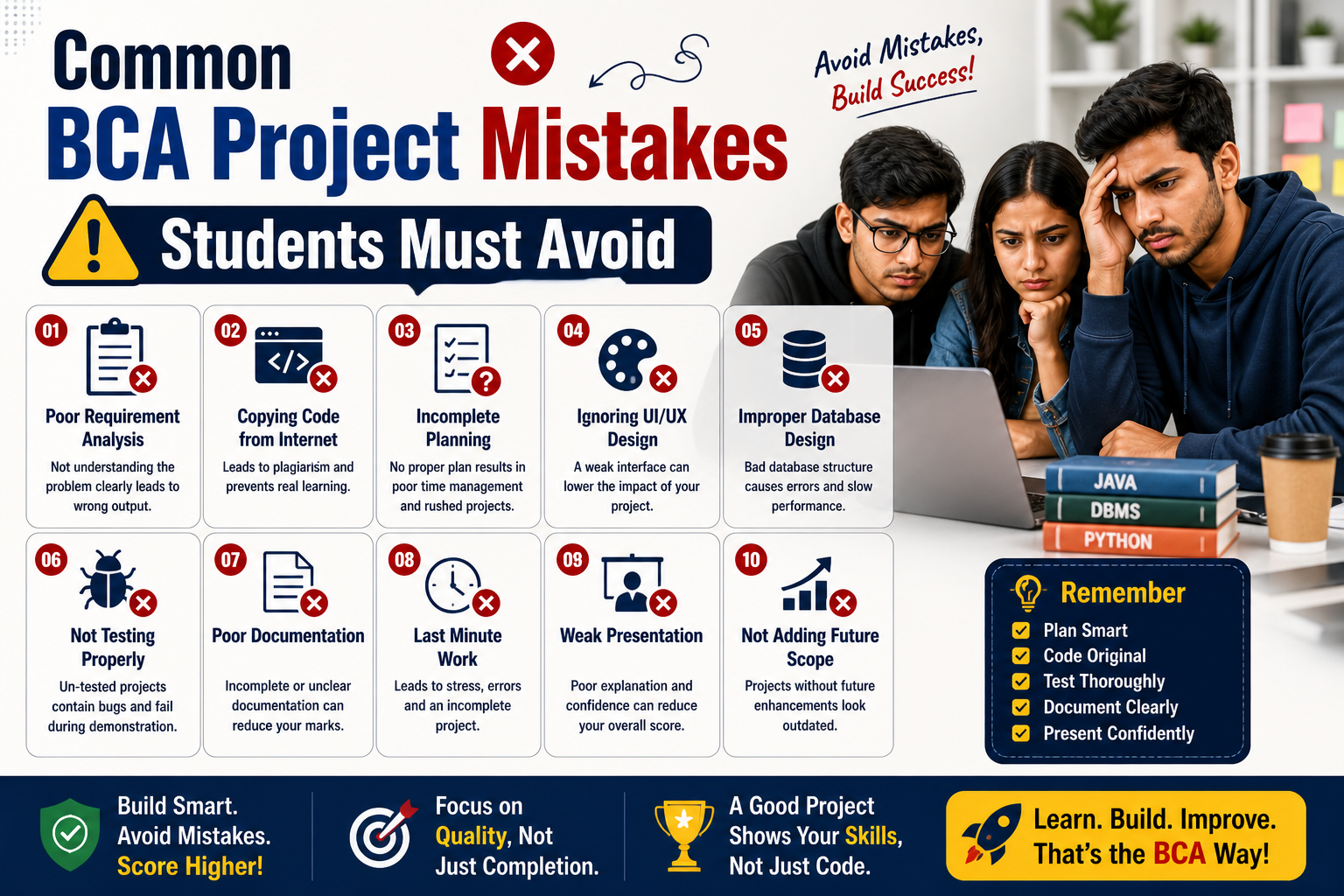
Common BCA Project Mistakes Students Must Avoid
Introduction
Final year… pressure, deadlines, viva fear, and one big question: “Will my project impress the examiner?”
Every year, thousands of BCA students put months of effort into their final year projects—yet many lose marks not because they lack skills, but because they make avoidable mistakes.
From choosing the wrong topic to poor documentation and weak execution, these errors can cost you grades, confidence, and even placement opportunities.
This guide, built on real academic evaluation insights, will help you avoid the most common BCA final year project mistakes—and show you exactly how to fix them.
1. Choosing an Overly Complex Project
Quick Answer: Don’t choose a project beyond your skill level—execution matters more than complexity.
What is the mistake?
Students often pick advanced topics like AI, Blockchain, or Machine Learning without strong fundamentals.
Why students make it:
- To impress teachers
- Peer pressure
- Trend-following mindset
Why it is harmful:
- Leads to incomplete or buggy projects
- Poor understanding during viva
- Low confidence
How to fix it:
- Choose a project that matches your current skills
- Focus on clean execution + logic clarity
- Build something simple but polished (e.g., inventory system with real features)
What professors expect:
A working, well-explained project—not just a fancy title.
2. Copy-Pasting Projects from the Internet
Quick Answer: If you don’t understand your project, you will lose marks in viva.
What is the mistake?
Downloading GitHub projects or buying ready-made solutions.
Why students make it:
- Lack of time
- Fear of coding
- Easy availability of projects online
Why it is harmful:
- Zero learning
- Cannot answer basic viva questions
- Risk of plagiarism detection
How to fix it:
- Use online code only for reference
- Build your own version
- Understand every line of code
Real-world example:
Many students fail viva when asked simple questions like “Explain your database schema.”
3. Lack of Clear Project Objective
Quick Answer: Every project must solve a clear problem.
What is the mistake?
Starting development without defining the goal.
Why students make it:
- Jumping directly into coding
- No planning phase
Why it is harmful:
- Confused structure
- Incomplete features
- Weak presentation
How to fix it:
- Define:
- Problem statement
- Target users
- Expected outcome
4. Ignoring Real-World Application
Quick Answer: Projects should be practical, not just theoretical.
What is the mistake?
Building projects that have no real-world use.
Why students make it:
- Choosing random topics
- Not researching industry needs
Why it is harmful:
- Low impact during evaluation
- No value in job interviews
How to fix it:
- Build practical solutions like:
- Student management system
- Online booking platform
- E-commerce mini system
Industry insight:
Recruiters prefer projects that show problem-solving ability.
5. Poor Technology Stack Selection
Quick Answer: Choose tools you understand and can justify.
What is the mistake?
Using technologies without understanding them.
Why students make it:
- Following trends
- Copying others
Why it is harmful:
- Inability to explain choices
- Poor integration
How to fix it:
- Stick to known stacks (e.g., Java + MySQL, PHP + Laravel)
- Learn basics before implementation
6. Weak Database Design
Quick Answer: A bad database leads to a bad project.
What is the mistake?
Improper table structure and relationships.
Why students make it:
- Ignoring normalization
- No planning
Why it is harmful:
- Data inconsistency
- System crashes
How to fix it:
- Design ER diagrams first
- Normalize tables
- Test queries
7. Ignoring UI/UX Design
Quick Answer: A project should be user-friendly, not just functional.
What is the mistake?
Cluttered and outdated interface.
Why students make it:
- Focus only on backend
- Ignore design
Why it is harmful:
- Poor user experience
- Negative impression
How to fix it:
- Use clean layouts
- Maintain consistency
- Test usability
8. Last-Minute Development
Quick Answer: Starting late leads to poor quality work.
What is the mistake?
Procrastinating until deadlines.
Why students make it:
- Underestimating effort
- Poor planning
Why it is harmful:
- Incomplete features
- Bugs and errors
How to fix it:
- Start early
- Break project into milestones
9. Poor Documentation
Quick Answer: Documentation is as important as coding.
What is the mistake?
Submitting weak or copied reports.
Why students make it:
- Lack of writing skills
- Last-minute work
Why it is harmful:
- Loss of marks
- Weak understanding
How to fix it:
- Write your own documentation
- Include diagrams and explanations
10. Not Testing the Project Properly
Quick Answer: Untested projects fail during demo.
What is the mistake?
Skipping testing phase.
Why students make it:
- Time shortage
- Overconfidence
Why it is harmful:
- Bugs during presentation
- Loss of credibility
How to fix it:
- Perform:
- Unit testing
- Integration testing
- User testing
11. Weak Viva Preparation
Quick Answer: Your explanation matters more than your code.
What is the mistake?
Not preparing for questions.
Why students make it:
- Focus only on development
Why it is harmful:
- Poor performance in viva
How to fix it:
- Practice explaining:
- Project flow
- Technologies used
- Challenges faced
12. No Version Control Usage
Quick Answer: Version control shows professionalism.
What is the mistake?
Not using Git or backup systems.
Why students make it:
- Lack of awareness
Why it is harmful:
- Risk of data loss
- No tracking of changes
How to fix it:
- Use GitHub or GitLab
- Maintain versions
13. Lack of Mentorship or Guidance
Quick Answer: Guidance can save months of mistakes.
What is the mistake?
Working without expert feedback.
Why students make it:
- Hesitation to ask
- Lack of support
Why it is harmful:
- Repeating mistakes
- Poor direction
How to fix it:
- Regularly consult faculty
- Take feedback seriously
14. Ignoring Deployment
Quick Answer: A deployed project adds huge value.
What is the mistake?
Keeping project only on local system.
Why students make it:
- Lack of knowledge
Why it is harmful:
- Less impressive during evaluation
How to fix it:
- Deploy using:
- Free hosting platforms
- Cloud services
15. Poor Time Management
Quick Answer: Planning is the key to success.
What is the mistake?
No schedule or roadmap.
Why students make it:
- Lack of discipline
Why it is harmful:
- Stress and incomplete work
How to fix it:
- Create weekly goals
- Track progress
Expert Tips from Faculty
- Focus on clarity over complexity
- Always be ready to explain your logic
- Practice your demo multiple times
- Keep backup files
- Make your project presentable and practical
Final Year Project Checklist
Before submission, ensure:
- Clear problem statement defined
- Fully working features
- Clean UI/UX
- Proper database design
- Complete documentation
- Tested for bugs
- Ready for viva explanation
- Deployed or demo-ready
Frequently Asked Questions (FAQ)
1. How to choose BCA final year project?
Choose a project based on your skills, interest, and real-world relevance. Avoid overly complex ideas.
2. What are common mistakes in BCA projects?
Poor planning, copy-pasting code, weak documentation, and lack of testing are the most common mistakes.
3. Is it okay to take project ideas from the internet?
Yes, but build your own version and understand the implementation.
4. How important is documentation?
Very important. It contributes significantly to your final evaluation.
5. Do I need to deploy my project?
Not mandatory, but highly recommended for better impact.
6. How to prepare for project viva?
Understand your code, practice explaining it, and be ready for basic technical questions.
Conclusion
Your BCA final year project is more than just an academic requirement—it’s your first professional showcase.
Avoiding these final year project errors students make can significantly improve your grades, confidence, and career opportunities.
At UBM College, students receive structured mentorship, practical exposure, and step-by-step project guidance—ensuring they don’t just complete projects, but build solutions they can proudly present in interviews.
If you’re serious about building a strong career in IT, choose an environment that supports your growth from day one.
Start your journey with the right guidance. Choose UBM College.